


Last week, Amazon quietly launched something called Kiro. Most people saw "another AI coding tool" and moved on. I almost did too.
But something in their launch post caught my eye: they weren't selling speed. They were selling thinking.
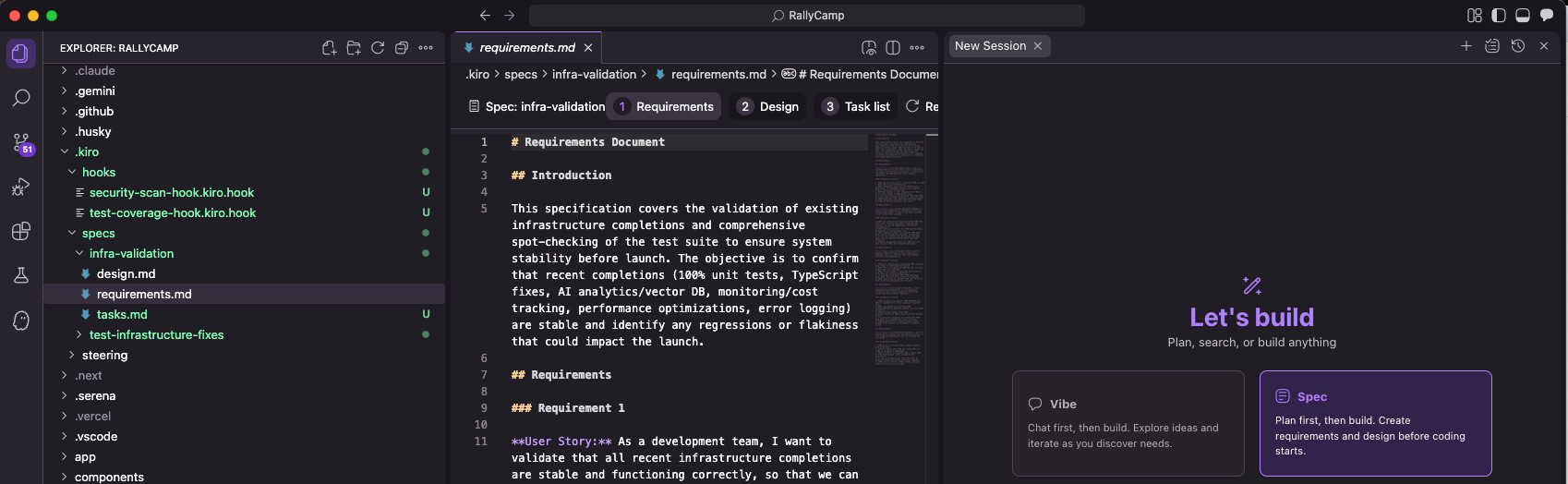
After five weeks of vibecoding my way through RallyCamp, shipping features fast but accumulating technical debt faster, this hit different. So I signed up, played around with it for a few hours, and discovered something that changed how I use Claude Code.
Here's the thing: you don't need Kiro to use their best idea.
What Kiro Actually Does
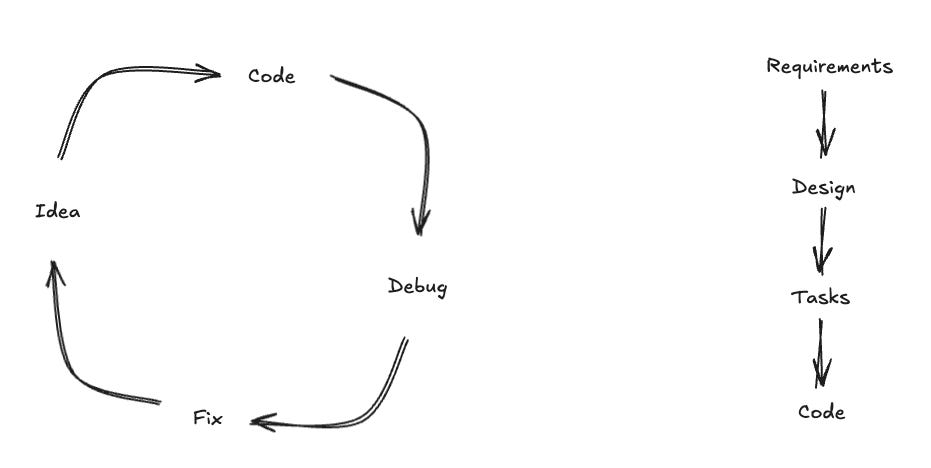
Kiro forces you to build in a specific order:
Requirements first (what problem are you solving?)
Design second (how will you solve it?)
Tasks third (what's the step-by-step plan?)
Code last (now execute the plan)
If you try to skip ahead, it literally won't let you. The AI refuses to write code until you've thought through the problem.
My first reaction: "This is going to slow me down."
My second reaction, after trying it: "Holy shit, this is exactly what I've been missing."
The Pattern Hidden in Plain Sight
Here's what fascinated me: Kiro uses Claude under the hood. The same Claude I've been using in Claude Code. The same Claude that's been happily building whatever half-baked idea I throw at it.
The difference wasn't the AI. It was the workflow.
So I did what any reasonable person would do. I tried to replicate Kiro's pattern directly in Claude Code.
My First Experiment
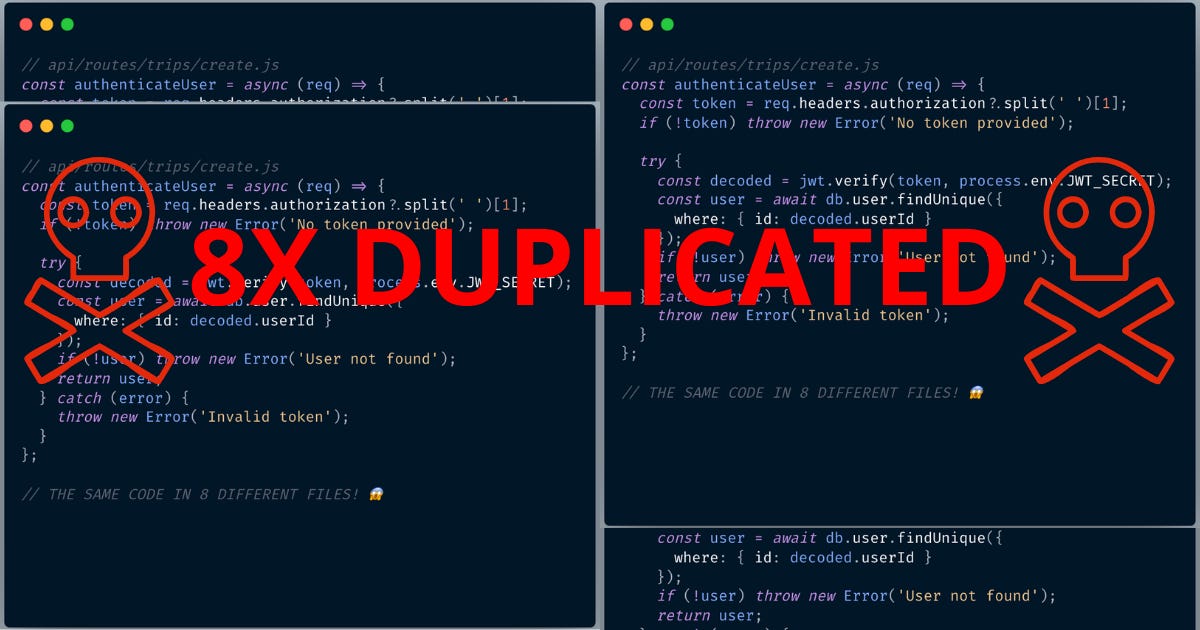
I had just run a codebase review on RallyCamp and discovered something horrifying: I had copy-pasted authentication code across 8 different API routes. Eight! The same security-critical code, duplicated everywhere.
Instead of my usual approach ("hey Claude, fix this mess"), I tried the Kiro way.
Step 1: Requirements
Create a requirements.md file for fixing code duplication issues. I have auth code copied 8+ times, validation error handling in 15+ places, and the same patterns repeated everywhere. Focus on why this is a problem and what the solution needs to achieve.
What came back surprised me. Instead of jumping to refactoring, Claude asked questions:
What happens when you need to fix a security bug in the auth code?
How many places could you miss?
What's the blast radius if you get it wrong?
We went back and forth for 10 minutes. By the end, I had a requirements doc that clearly explained WHY this wasn't just about clean code, it was about security and maintainability.
Step 2: Design
Based on requirements.md, create a design.md file for the refactoring.
Include the new architecture, where shared code will live, and how
we'll migrate without breaking existing features. No code yet.
This is where it got interesting. Because Claude had the requirements context, the design actually addressed real risks. It suggested things like:
Creating a phased rollout (security-critical auth first)
Building comprehensive tests before touching anything
Setting up feature flags for gradual migration
Stuff I would've learned the hard way after breaking production.
Step 3: Tasks
Break down design.md into specific implementation tasks in tasks.md. Phase 1 should be security-critical auth code. Each task should be independently testable. Order by risk and dependencies.Now I had a roadmap. Not just "refactor everything" but a three-week plan:
Week 1: Extract auth middleware, test exhaustively, migrate routes
Week 2: Create validation handlers and unified API client
Week 3: Extract shared schemas and utility functions
Step 4: Actually Build
Execute task 1 from tasks.md: Create lib/api/auth.ts with
requireAuth() middleware. Reference the duplicated code patterns
from the codebase review.
The code that came out was different. Better. It knew exactly what patterns to extract and why.
Why This Changes Everything
Remember my post about technical debt? About how AI builds code optimized for different constraints than yours?
This fixes that.
When you give AI the full context (requirements, design, architecture) it builds code optimized for YOUR constraints. Your security requirements. Your maintenance needs.
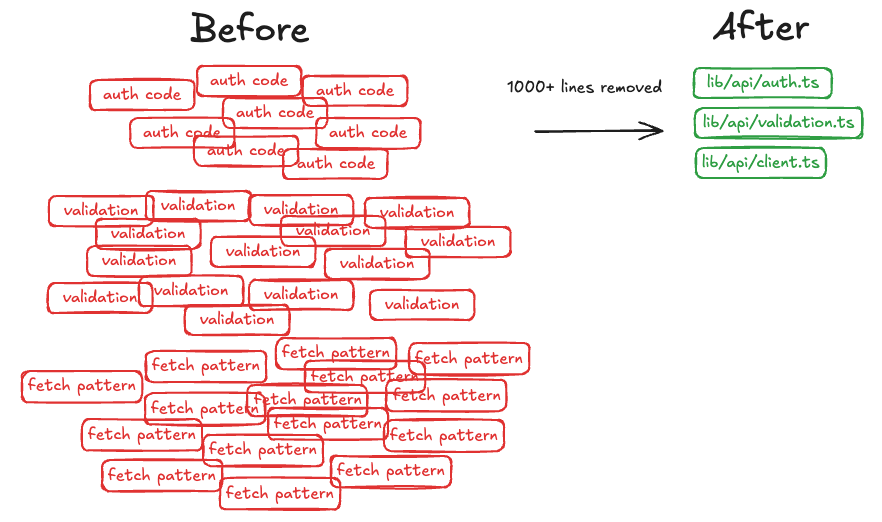
The auth refactoring? It touched 8 critical files. Zero bugs. Zero downtime. That's never happened with my "just fix it" approach.
Even better: the refactoring actually reduced the codebase by 1000+ lines. Turns out when AI understands the full picture, it doesn't just move code around, it finds better patterns.
The Real Magic: Thinking Time
Here's what I realized: The value isn't in the documents. It's in the thinking that happens while creating them.
When I'm writing requirements, I'm not just listing features. I'm discovering edge cases. When I'm writing design docs, I'm not just planning architecture. I'm spotting problems before they're expensive.
The AI helps with this thinking. It asks questions I don't think to ask. It spots patterns I miss. It's like pair programming, but for product design.
My Current Workflow
I still use Claude Code for everything. I just use it differently:
Monday: Think through the week's features. Create requirement docs for each.
Tuesday: Turn requirements into designs. Let Claude challenge my assumptions.
Wednesday-Thursday: Execute tasks. The actual coding is the easy part now.
Friday: Ship with confidence.
I'm building at the same speed, but with 90% fewer "oh shit" moments.
But Here's the Catch
This approach has one major downside: it's addictive.
Once you experience building with clarity (ie. knowing exactly what you're making and why) it's hard to go back to chaos mode. Even for quick experiments, I find myself writing mini-specs.
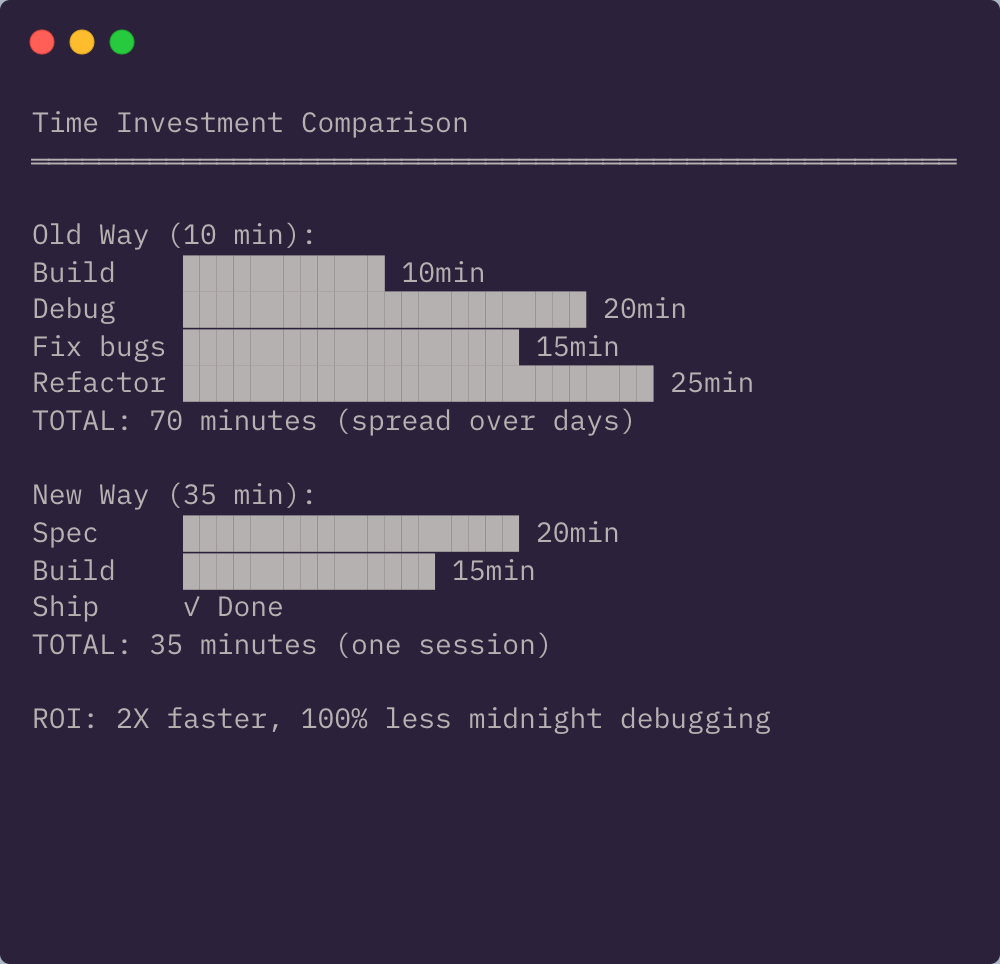
Last week, I spent 20 minutes spec'ing out a feature that would've taken 10 minutes to build directly. The feature took another 15 minutes to build with the spec.
Total time: 35 minutes instead of 10. But you know what I didn't spend time on? Debugging. Fixing edge cases. Rebuilding it when users complained.
You Don't Need Kiro for This
Look, Kiro seems cool. The interface is slick, the workflow is smooth, and having guardrails built-in is nice.
But you don't need it.
You just need discipline to think before you build. And if you're using Claude Code like me, you can start right now:
# Start a new feature the right way
claude "I want to add [feature description].
Let's start by creating a requirements doc.
Ask me questions until you understand the problem space,
then write requirements.md"
That's it. That's the secret. Make the AI think with you before it codes for you.
The Unexpected Benefit
Remember my "47 ChatGPT chats" problem? This solves that too.
Now I have one chat per feature, but it contains the complete journey: requirements → design → tasks → code. When I need to modify something weeks later, the context is all there. The thinking is documented.
My codebase has become self-documenting. Not through code comments, but through the thoughts that created the code.
What This Really Means
We're at a weird moment in software development. AI can build almost anything we can describe. The bottleneck isn't coding speed anymore, it's thinking speed.
The teams that win won't be the ones with the best prompts or the fastest AI. They'll be the ones who think before they build.
Kiro gets this. That's why they built an entire IDE around making you think first. But you can get the same benefit with any AI tool. You just have to choose to slow down in the right places.
Your Move
This week, try building one feature the Kiro way:
Requirements (what problem?)
Design (what solution?)
Tasks (what steps?)
Code (execute the plan)
Use whatever AI tool you prefer. The tool doesn't matter. The order does.
And if you're already using Claude Code, steal my prompts above. They work.
P.S. - That auth refactoring? Not only did it eliminate security risks, it made adding new API routes 10x faster. Now it's just requireAuth() instead of 50 lines of copy-paste. Sometimes thinking first pays compound interest.